
 Minecraft
 Hytale
 Discord Bot Hosting
 Minecraft Hosting
 Hytale Hosting
Best Minecraft Server Hosting in 2026 (Full Comparison & Rankings)
Review the best Minecraft server hosting in 2026, focusing on user support, server performance, and unique features tailored for gamers.

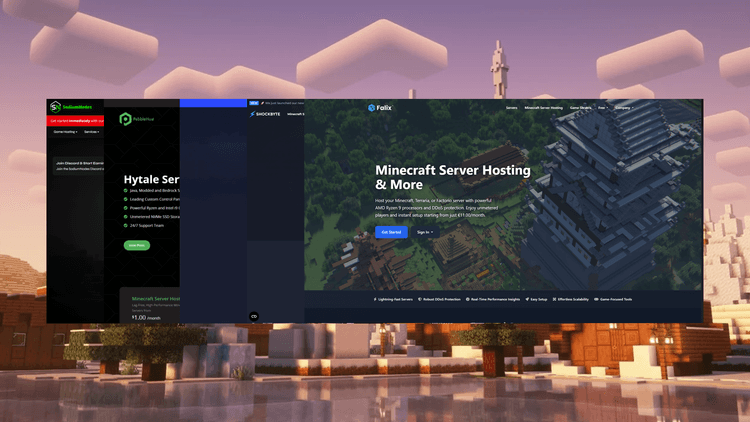
Choosing the best Minecraft server hosting in 2026 can be difficult, especially with so many providers offering different hardware, pricing, features and levels of support. In this guide, we’ll compare some of the most popular Minecraft server hosts and rank them based on performance, pricing, features and overall value.
In fact, many hosting companies started with Minecraft being the first server type they would host.
In this article, we will be looking at the best Minecraft server hosts in 2026, and we will be looking at lesser-known providers, as they tend to be more friendly and affordable.
NOTE: SodiumNodes is our own service, and we tried to keep an honest ranking for all providers.
Overview
For people who are skimming through the article, I have left some quick answers that tell you which provider to choose depending on your needs.
| Name | Trustpilot Score | Support Quality | Hardware | User Interface | Overall Rating |
| SodiumNodes | 4.6/5 | Excellent (8/10) | Excellent (8/10) | Excellent (8/10) | 8/10 |
| PebbleHost | 4.5/5 | Good (7/10) | Good (7/10) | Fair (6/10) | 7/10 |
| GGServers | 4.5/5 | Excellent (8/10) | Fair (6/10) | Fair (6/10) | 7/10 |
| Shockbyte | 3.8/5 | Poor (4/10) | Poor (4/10) | Fair (6/10) | 5/10 |
| Falix | 4.4/5 | Fair (5/10) | Fair (6/10) | Poor (4/10) | 4.5/10 |
Best overall: SodiumNodes
Best for beginners: SodiumNodes
Best for SMPs: PebbleHost
Best for servers with friends: Falix
Best for modpacks: SodiumNodes
Now, let’s get into the comparison.
Why Single-Core Performance Matters for Minecraft Servers
Without making it too technical, Minecraft servers are heavily based off of single core performance mainly because its core game loop (physics, mob AI, world ticks, and chunk loading) is built on a single, sequential thread.
Also, when the game was first released back in 2009, most computers had 1 CPU core, which meant Mojang had to optimise Minecraft to work on one core instead, making it a game heavily based off of single-core performance.
How We Ranked Minecraft Hosting Providers
We have ranked these 5 Minecraft server hosting providers with a consistent scheme. Each specification has equal weight.
- Trustpilot score (25%)
- Hardware (25%)
- Support (25%)
- User Interface (25%)
#1 – SodiumNodes

SodiumNodes Minecraft Hosting offers a beginner-friendly experience, with its customer support deemed quick and helpful and initial pricing being very affordable, starting at only €1.25/GB.
DDoS protection
SodiumNodes comes with enterprise-grade DDoS protection, meaning your server is protected from malicious attempts to disrupt your server.
Support
Based on the Trustpilot for SodiumNodes, the customer support is greatly appreciated due to its quick and in-depth responses, which is a major plus for beginners.
Pricing
Its pricing is honest and heavily based on a €/GB RAM formula. Starting at just €1/GB, you can get a server with 8GB of RAM for less than €10, making it one of the most affordable options on the market.
User Interface
SodiumNodes uses a custom fork of the Pterodactyl panel, built to make it easy for users to manage their own Minecraft server.
Overview of SodiumNodes
For people who want a quick answer, here’s what SodiumNodes has to offer.
- Hardware: Uses modern AMD Ryzen CPUs with capable single-threaded performance. Perfect for game servers like Minecraft and Hytale.
- Support: Responses are under 30 minutes and are deemed helpful by many customers.
- User Interface: Modern-looking website, with an easy-to-use panel.
What online reviews say
My server has been up and running for a few months now. I’ve gotten help from the server staff and they have been very kind and helpful. … -Kaylee Standard
The server was put up instantly and even tho it didnt work at first, i opened a ticket on discord and they fixed it up instantly. Support is on point here compared to other hosting services -Vectror
Made a ticket on discord, responded quickly very happy to help. -Thyme Suwannagate
When to use SodiumNodes
SodiumNodes is a good idea for:
- Modpack servers: these types of Minecraft servers tend to be heavy and need resources capable of running over 100 mods at once.
- Beginners: if you recently started hosting Minecraft servers, the support team offered by SodiumNodes can assist you with any crashes or errors you may face.
- Servers that are getting started: If you have a Minecraft server or public SMP, and you’ve recently started, the DDoS protection and customer support offered by SodiumNodes can be helpful to protect yourself from initial rivals.
When to avoid SodiumNodes
SodiumNodes might not be the best option for:
- Free Minecraft servers: the invite rewards or affiliate system might make it hard for customers without a budget to get their own server.
Overall, its easy-to-use panel, one-click mod installer, and experienced customer support altogether make the perfect setup for users who are hosting a Minecraft server for the first time.
#2 – PebbleHost

Another well-known budget Minecraft hosting provider is PebbleHost. What makes it stand out the most is its pricing: at $1/GB for RAM, PebbleHost is one of the cheapest Minecraft server hosting in 2026.
Hardware
PebbleHost’s hardware mainly consists of modern AMD EPYC CPUs, which are a solid choice for Minecraft server hosting in 2026.
Support
PebbleHost’s support team is known to give quick responses, making it a reliable choice if you’re a beginner.
User Interface
The user interface by PebbleHost may feel slightly outdated and intimidating, but with the customer support provided by them, it shouldn’t really be a problem.
Overview of PebbleHost
- Hardware: Budget providers use older hardware for their servers to compensate for the cheap pricing.
- Support: Based on other sources, support response times take around 30 minutes.
- User Interface: The PebbleHost website looks slightly outdated compared to today’s standards.
When to use PebbleHost
In the Minecraft hosting industry, PebbleHost remains a solid choice for:
- Servers with a few friends: If you’re planning to make a Minecraft server with a few friends in 2026, PebbleHost can be a good short-term option.
- Small/new communities: PebbleHost’s affordable pricing can help you get started without needing a big budget.
- Budget-conscious users: If you’re on a budget, PebbleHost’s cheap Minecraft server hosting can help you get started easily.
When to avoid PebbleHost
- Big Minecraft networks: If you own a big Minecraft network (similar to BlocksMC or PikaNetwork), PebbleHost might not be the best option because of the budget hardware.
What customers say about PebbleHost
Customers consistently praise its unbeatable price for powerful hardware. However, its main limitations are the malware detection getting in their way and sometimes unhelpful customer support despite quick responses.
Overall, use PebbleHost if you’re on a strict budget or want a small server with a few mods/plugins and a few friends.
#3 – GGServers

GGServers focuses on Vanilla and lightly modded Minecraft servers. Launched in 2013, GGServers is one of the oldest Minecraft hosting platforms available.
Hardware
The hardware offered by GGServers leans towards the budget side and might not be good enough to run modpacks. Although they have DDoS protection, the exact grade doesn’t seem to be listed.
Support
The support team offered by GGServers is deemed helpful and professional. This makes it easy for beginners to confidently play on their Minecraft server.
User Interface
GGServers has a normal interface, not too old and not too modern. Their Minecraft-specific panel conveniently makes it easy for you to login with the same account you used to pay for your server.
Overview of GGServers
- Hardware: Their hardware is the right fit for small servers. It’s not a good idea to host modpacks on GGServers.
- Support: Their support team is deemed professional and helpful, making it a good place to start for beginners.
- User Interface: Their user interface makes it easy for you to get started.
When to use GGServers
GGServers is a good idea for:
- Beginners: Thanks to its budget-level pricing and its helpful and professional support team, GGServers is a great place to start if you’re a beginner.
- Small servers: GGServers provides budget hardware, making it the right choice for servers with a few friends.
Overall, GGServers is a budget provider and it’s a good option for beginners and small servers due to its helpful support team and budget pricing.
#4 – Shockbyte

Shockbyte has been around for over a decade. Their reputation is built around their one-click mod installer and easy setups, but their slow support team and complex account system is a major drawback for this Minecraft hosting platform.
Hardware
Shockbyte uses older Intel Xeon and AMD EPYC CPUs, which aren’t inherently bad, but they can affect server performance. Additionally, your Minecraft server might enter “sleep mode” and turn off automatically when no players are online, which can be inconvenient for small public servers that are trying to grow.
Support
Although Shockbyte is known for its age and experience, many customers complain about ticket support being unhelpful and slow, which can affect user experience, especially for beginners.
User Interface
Shockbyte uses a fully custom panel and conveniently includes SFTP support to upload files and a one-click mod installer, but still lacks some features that can affect ease of use and can be frustrating for advanced users.
Overview of Shockbyte
- Hardware: Shockbyte uses older Intel Xeon processors, which can be behind today’s standards for a modern Minecraft server.
- Support: Shockbyte is known for its slow ticket responses and inefficient support.
- User Interface: Although Shockbyte features a custom panel and is known for being solid for beginners, it lacks some in-depth features.
When to use Shockbyte
Shockbyte is a good option for:
- Medium-size public servers: As long as you have at least one player constantly online, Shockbyte can be a good option.
When to avoid Shockbyte
You should avoid Shockbyte when hosting:
- Large Minecraft servers: The older Intel Xeon or AMD EPYC CPUs can be a huge bottleneck for larger-scale Minecraft servers.
Overall, Shockbyte remains the solid choice if you’re an advanced user due to its slow customer support.
#5 – Falix

Falix has been around since 2018 and is well-known for its Minecraft hosting services. It used to include an open-source dashboard like Heliactyl and the well-known and familiar Pterodactyl panel before transitioning into their proprietary user interface.
Hardware
On their articles, they mention using AMD EPYC 4585PX CPUs in their Singapore and Australia locations, while using AMD Ryzen 9900X processors in Belgium. This can be slightly misleading for customers, as their Minecraft Server Hosting page mentions only using AMD Ryzen processors.
Support
Customers claim that support response times are slow. The support team in the Falix Discord server tends to be rude rude and unable to solve their issue. On top of that, ticket support is available only for premium users. All this together makes it hard for beginners to start a public server, missing out on potential premium customers.
User Interface
Their user interface is fully custom, meaning it doesn’t use any open-source software at least for the interface. However, it is very restricting that you can’t upload your custom files on free plans.
Overview of Falix
- Hardware: They claim to be using AMD CPUs. Although these processors are capable of running Minecraft smoothly, users on their Trustpilot page often mention problems with lag.
- Support: Ticket support is available only when using a paid plan and customers find the Discord server support rude and unhelpful.
- User Interface: Falix’s user interface is known to be inconvenient and broken because of the inability to upload modpacks and the ads shown on the website.
When to use Falix
Falix remains a solid choice for:
- Minecraft servers with friends: If you want a Minecraft server with a few friends, Falix’s free plan remains a solid choice in 2026.
- Small SMPs: The Minecraft hosting provider remains a great choice if you want to host a small public SMP.
When to avoid Falix
- Medium or large Minecraft servers: Avoid hosting medium or large Minecraft servers, as these Minecraft servers are mission-critical and you’re mostly alone when bugs or crashes occur.
Overall, Falix is a good option for smaller servers, but scaling is difficult due to its limitations by the free plan and increased price when purchasing a premium plan.
In fact, although their Trustpilot score is defined as “excellent”, many reviews are generic and the poor customer support and platform limitations decreased its overall score.
Final Verdict on Minecraft Server Hosting in 2026
For beginners: SodiumNodes, PebbleHost and GGServers are all solid choices.
For limited budget: use SodiumNodes, PebbleHost or GGServers.
For advanced users: SodiumNodes, Falix, and Shockbyte are the best options.
For basic servers with friends: use Falix for free Minecraft hosting and SodiumNodes for modpacks, additional plugins and your own server software.
For full control: SodiumNodes excels, as you can receive customer support, upload your own files, and get additional allocations, backups and MySQL databases if your plan supports it.
| Hosting Provider | Best for |
| SodiumNodes | Beginners, limited budget, advanced users, Minecraft servers with friends, full control |
| PebbleHost | Beginners, limited budget |
| GGServers | Beginners, limited budget |
| Shockbyte | Advanced users |
| Falix | Advanced users, basic servers with friends |
Conclusions
Whether you want cheap Minecraft hosting in 2026, you want to play with friends, you have a limited budget, or any other reason, choosing your Minecraft hosting provider is essential in today’s world, as there are many options that server different purposes.
How much is the average Minecraft Server Hosting cost in 2026?
The average Minecraft server can cost between €1/GB to €3/GB of RAM, depending on the CPU, customer support quality, and sales strategy. Minecraft hosting like SodiumNodes balances highly respected customer support and processors with the lowest possible price, sitting at around €1/GB.
How much does Minecraft Server Hosting cost in 2026?
In 2026, a common strategy to calculate prices for Minecraft Hosting, is to base the price off of a €/GB of RAM formula. Common pricing strategies include €1/GB for budget Minecraft hosting, usually up to €3/GB for premium Minecraft server hosting.
What is the best Minecraft server hosting in 2026?
The best Minecraft server hosting depends on your needs, but top options include SodiumNodes, PebbleHost, and GGServers for beginners and budget users.
What is the cheapest Minecraft server hosting?
PebbleHost and SodiumNodes offer some of the lowest pricing per GB of RAM.
What hosting is best for modded Minecraft servers?
SodiumNodes is best suited for modpacks and heavy modded servers due to strong single-core performance.
Do Minecraft servers need good CPU performance?
Yes. Minecraft relies heavily on single-core CPU performance for ticks, mobs, and chunk loading.
Your Minecraft server, ready in seconds.
Why wait any longer?
With SodiumNodes, your server is deployed is 60 seconds away from being yours.
DDoS protection: Stay online during raid attacks.
AMD CPUs: No lag, even with several mods or plugins.
Custom Mod Support: Run Fabric, Forge, or Paper mods/plugins.
Friendly customer support: Real answers in under 10 minutes.